Skip to content

Startupware: Managing Startups

Autorunning Software & Running a Software Business

  • Call Yourself!
  • How to Backup your Computer
  • How to Download Software
  • How to Name an App
  • PC410 Newsletters
  • Security Patch Reference
  • Spyware, Adware, Malware, Thief
  • Spyware: Consumer’s Guide
  • What’s a Cloud App?
  • Writing Technobabble

Silencing Windows 11

February 10, 2026DefinitionsJerry Stern

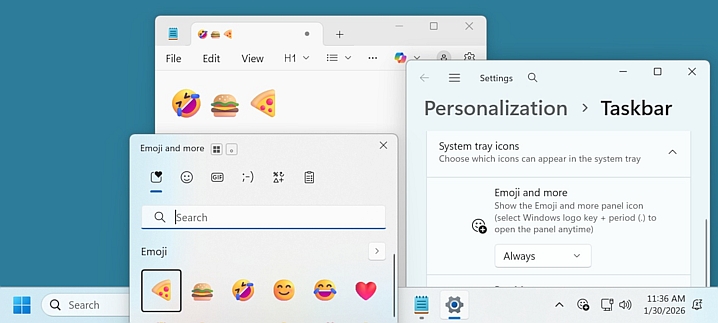
Windows 11 is noisy. Popups and ads everywhere, and they’re mostly OneDrive advertisements. In the free February 2026 PC Updater News, learn how to turn off the notifications and popups. And turn ON the Emojis icon, which also inserts international characters, not just :-). Back issues and subscriptions are here.


Share on Facebook Share
0
Share on TwitterTweet
Share on Pinterest Share
0
Share on LinkedIn Share

Post navigation

← Paperless Offices
  • Call Yourself!
  • How to Backup your Computer
  • How to Download Software
  • How to Name an App
  • PC410 Newsletters
  • Security Patch Reference
  • Spyware, Adware, Malware, Thief
  • Spyware: Consumer’s Guide
  • What's a Cloud App?
  • Writing Technobabble
  • Computer Memes
  • Deals
  • Definitions
  • Field Reports
  • Identification
  • microISV How-To's
  • Newsletter Reprints
  • Patches
  • Reviews

Related Sites:

  • @Graphcat on Twitter
  • Dreamstime: Stock AI Art by Jerry Stern
  • Graphcat
  • PC Repairs, Westminster MD
  • Science Translations
  • Software Knowledge Base

This site and all contents are ©2005-2026 Science Translations, All Rights Reserved.

Proudly powered by WordPress