Bitlocker Installs Without Permission: What to Do?

Bitlocker on you laptop. Do you have the Recovery Key?

Some pre-built PCs and laptops are showing up with Bitlocker installed and enabled, without asking permission, and without notice, even on Windows 11 Home, which shouldn’t even contain BitLocker code. It’s dangerous; without notice, your computer is encrypted, there may be a recovery key in your Microsoft account, if you know you have one, if you know the password, if you know which email account matches it, and if you even have a spare device to log into that account when Windows 11 botches a patch, redetects an existing device, and insists on the recovery key you might or might not know that you might have.

It’s a mess. Here’s how to check in advance if this applies to your computer, and how to backup your recovery key, before you’re all locked out. Read it now, free in the May 2026 PC Updater News, and a decade of free back issues and there’s also Credential Stuffing, Defined, and the difference between an email and a post card. Hint: It’s just the stamp. Neither one is private.

all free in the May 2026 PC Updater News, and a decade of free back issues.
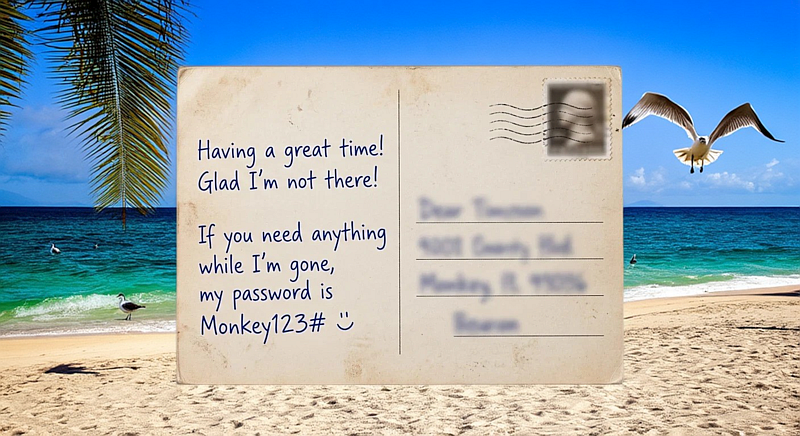
Have a Password? Don’t Email that!

Email is as secure as a post card.

Email is basically sent through a dozen relay servers, each with the ability to read, change, or build ads and AI training from your data. Don’t put anything in an email that should not be on a post card. More on that, and Credential Stuffing, Defined, and how to save your Bitlocker Recovery key, all free in the May 2026 PC Updater News, and a decade of free back issues.
Accessibility Guide for Windows 11

Windows 11 has a lot of options for improving both the sights and sounds of Windows for those users who need some help. Whether you’re adjusting these options for yourself or have been designated as ‘tech support’ for an older user, there are a lot of options to choose from. For the full list, go to the Start menu and click Settings (the gear image), choose the ‘Accessibility’ option in the left column and go exploring; below, I’m listing only the features that I’ve applied for multiple users. For each, I will give instructions that start on that Accessibility screen, in the order they appear there, screen features first, and then audio.

Continues in the free April 2026 PC Updater News, or read back issues here.